
Local-first routing
/api/chat, /v1/chat/completions, /v1/embeddings, and /v1/messages prefer a local provider, then a mesh peer that listed the model.
Private mesh · Local models
A private club for local inference. Share models with a trusted group, behind one OpenAI-compatible endpoint.
Weights stay on the machine that owns them.
The mesh only sees models you choose to export.
Chat stays peer-to-peer and encrypted (QUIC). The relay is only for setup and hole punching — it never carries inference.
Features
/api/chat, /v1/chat/completions, /v1/embeddings, and /v1/messages prefer a local provider, then a mesh peer that listed the model.
With model_discovery: pinned, only currently loaded Ollama models are advertised, so idle weights are not pulled across the mesh.
One proxy can export several Ollama instances. Add more entries under providers; advertised models are merged.
libp2p QUIC, Circuit Relay v2, hole punching, and optional LAN mDNS. Application traffic is peer-to-peer and encrypted. The relay never carries chat.
Token / Bearer auth on the controller. Invite links from the Admin panel or admincli.
Mesh, Nodes, Models, Chat, and Settings at /ui/. Chat is in-memory only and warns when a model is served by another node.
Dashboard themes: Deco, Clean, Cyber, and Dark. Switch per node in Settings.
Dashboard
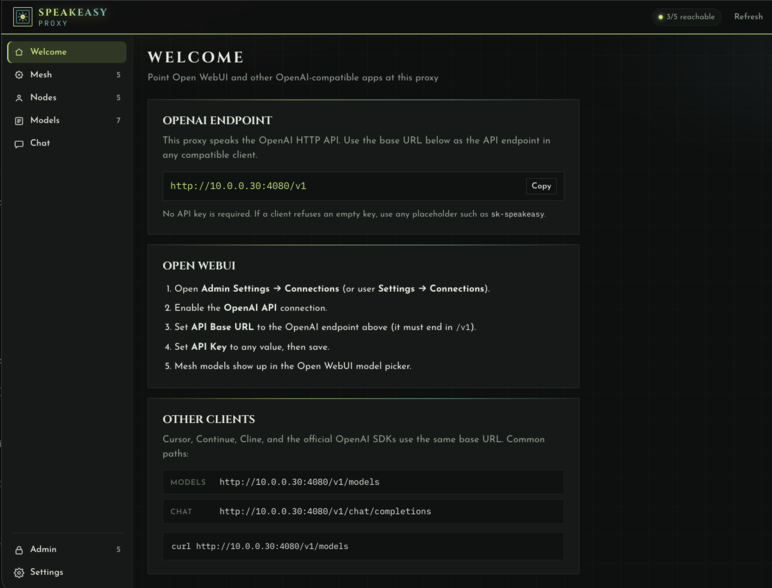
Copy-paste the OpenAI base URL for this node, Open WebUI steps, and a curl snippet.
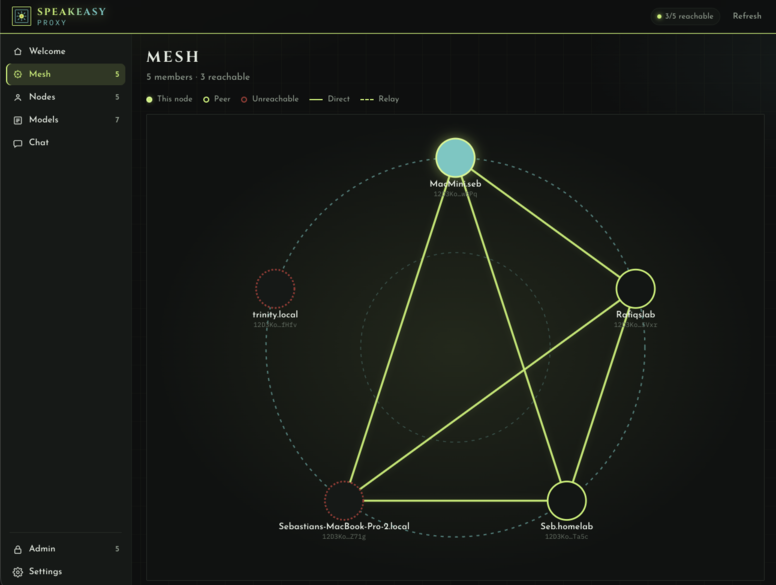
Members and how they connect. Solid links are direct; dashed links go through the relay.
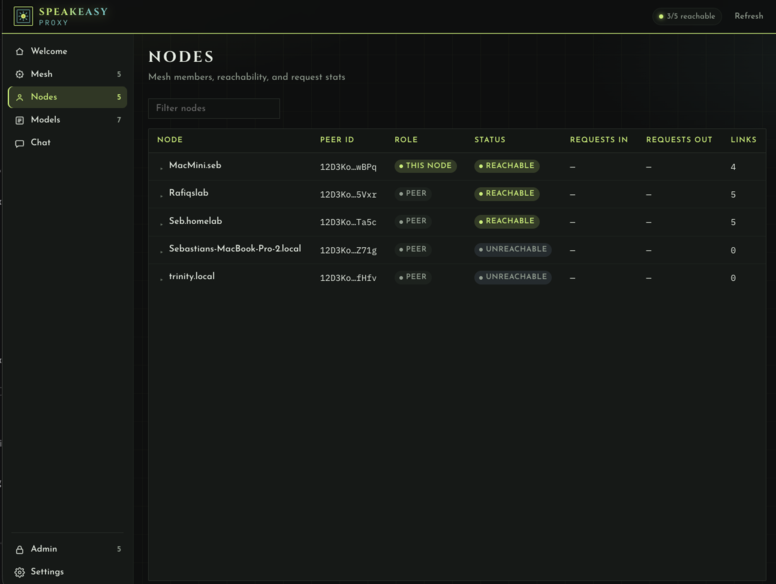
Members, peer IDs, role, reachability, and link counts.
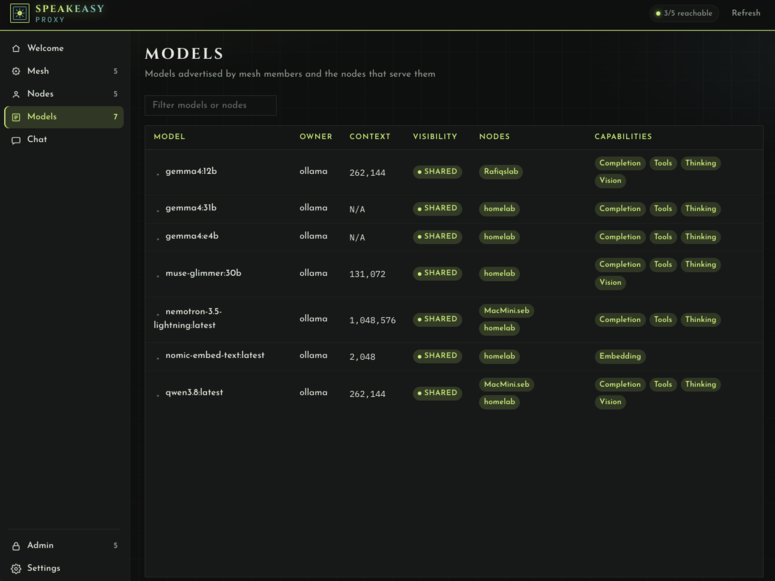
Every advertised model, who serves it, and expand-in-place specs.
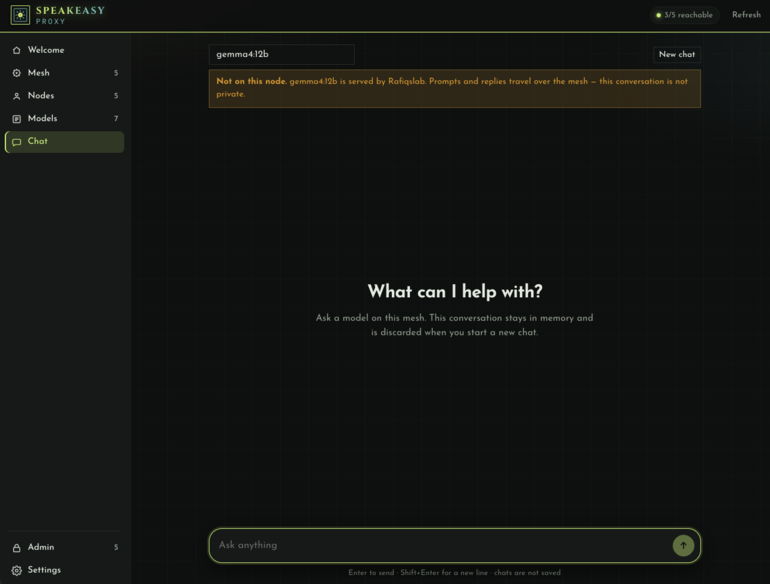
Talk to a mesh model. Conversations stay in memory and are discarded on a new chat.
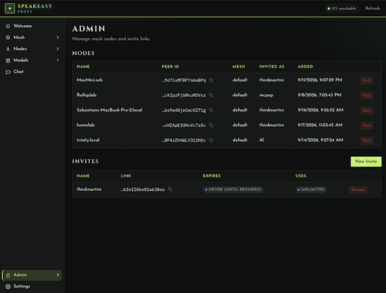
Create invite links and manage members. Token / Bearer auth on the controller.
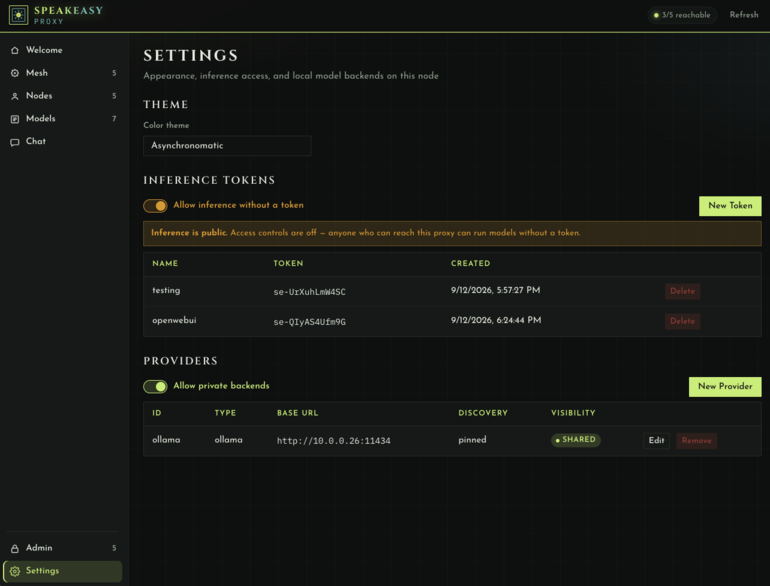
Theme and local providers for this node. Discovery mode, private flag, and a model whitelist.
How it works
One host runs admin/relay — standalone admin or hybrid admin+proxy. It must be public or port-forwarded: TCP on the admin port (4002), TCP+UDP on the relay port (4001).
Each member runs ./build/speakeasy join <invite-url> once, then ./build/speakeasy proxy start. Ollama (or another local provider) stays on that machine if they will serve models.
The node registers with admin/relay, learns the relay multiaddrs, and joins the mesh. All later inference is peer-to-peer over encrypted QUIC.
Peers publish the inference models they export. Others see those models as targets. Idle weights stay off the mesh when export is pinned.
Clients talk only to this node’s listen address. Requests prefer a local provider, then the first mesh peer that listed the model. The relay never carries that traffic.
Joining someone else’s mesh? You only need an invite — see Quick start . Standing up the door is Admin setup .
Drop-in clients
export OLLAMA_HOST=http://127.0.0.1:4080
ollama run llama3.2 "hello from the mesh"
from openai import OpenAI
client = OpenAI(base_url="http://127.0.0.1:4080/v1", api_key="<your api key if set in the dashboard>")
print(client.chat.completions.create(
    model="llama3.2",
    messages=[{"role": "user", "content": "hello"}],
))
http://<proxy>/v1 — it must end in /v1.Default listen is :4080 if unset in config.yaml. Cursor, Continue, and Cline use the same OpenAI base URL.